Operation - Motion Electric Fireplaces (GL)
- Published:
- · Updated:
Read and understand this entire owner’s manual, including all safety information, before plugging in or using this product. Failure to do so could result in electric shock, fire, serious injury, or death.
Power
Plug the power cord into a dedicated 240 Volt 13 Amp (EU/UK) or 10 Amp (AU/NZ) grounded outlet (see IMPORTANT SAFETY INFORMATION). A dedicated circuit is preferred but not essential in all cases. A dedicated circuit will be required if after installation, the circuit breaker trips on a regular basis when heater is operating. Make sure the outlet is in good condition and the plug is not loose. NEVER exceed the maximum amperage for the circuit.
Master Power Switch
Located above the Touch Control Panel is the Master Power Switch. Ensure the rocker switch is pressed in the “On” position prior to operating the fireplace.
Note: After resetting the Master Power Switch or from a loss of power, the fireplace takes 20-30 seconds before the fireplace is fully booted and operational.
Pairing the Remote
- With the fireplace ON, press and hold the Power button on the fireplace for 5 seconds until you hear a beep from the fireplace. “P1” will be shown on the display.
- Within 5 seconds of the fireplace beeping, repeatedly press the power button on the remote until the fireplace beeps again.
- Pairing must be completed within 5 seconds or the fireplace pairing will time out of pairing mode.
Methods of Operation
This electric fireplace can be operated by the FireplaceTouch Control Panel located on the UPPER right corner of the fireplace, or by the battery-powered Remote Control.
Fireplace Touch Control Panel

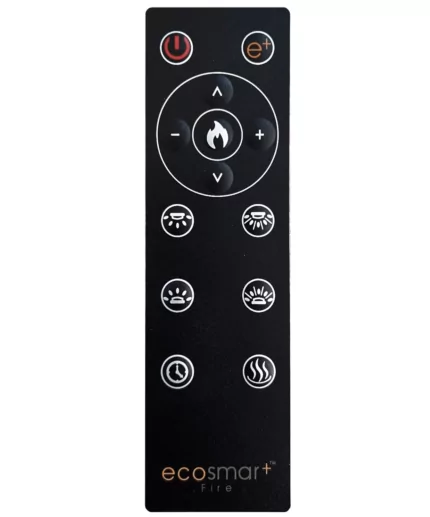
Remote Control
Fireplace Touch Control Panel
Fireplace Touch Panel Operation
| Button | Function | Action |
 | ON: Enables control panel functions. Turns on flame.ON: Enables control panel functions. Turns on flame. | 1. Press once: Indicator light turns on. Power turns on. All functions enabled.2. Press again: Flame turns off. Unit goes to standby. All functions turn off.2. Press again: Flame turns off. Unit goes to standby. All functions turn off. |
 | FLAME BUTTON: Changes between flame presets.NOTE: Color effect stays on until power button is turned off.NOTE: Color effect stays on until power button is turned off. | 1. Press once: Flame color illuminates.2. Press again until desired preset color is reached. In total, three styles of flame with six colors for each flame. 1C-2C-3C-4C-5C-6C2. Press again until desired preset color is reached. In total, three styles of flame with six colors for each flame. 1C-2C-3C-4C-5C-6C |
 | HEATER BUTTON: Turns heater on and off.NOTE: The heater only works when the flame is on. If the flame is off, the heater will not turn on.NOTE: The heater only works when the flame is on. If the flame is off, the heater will not turn on. | 1. Press once: Turns the heater and blower on.2. Press again until it cycles thru the heater settings. Settings:H0 - Heater and blower off. F – Fan only. H1 - Low Heat. H2 - High Heat.H0 - Heater and blower off. F – Fan only. H1 - Low Heat. H2 - High Heat. |
 | TIMER BUTTON: Controls timer settings to turn off fireplace at selected time.TIMER BUTTON: Controls timer settings to turn off fireplace at selected time. | 1. Press once: Indicator light turns on. Timer defaults to 0.5 hours.2. Press again until desired setting is reached.2. Press again until desired setting is reached. |
Remote Control
Remote Control Operation
| ON: Enables control panel functions. Turns on flame.ON: Enables control panel functions. Turns on flame. | 1. Press once: Indicator light turns on. Power turns on. All functions enabled.1. Press once: Indicator light turns on. Power turns on. All functions enabled. |
 | HOME BUTTON: Returns the fireplace to the default colour settings. | 1. Press once: Flame video changes to flame style 1, colour yellow. Ember bed and down light changes to orange. Flame speed changes to default and sound level changes to low. |
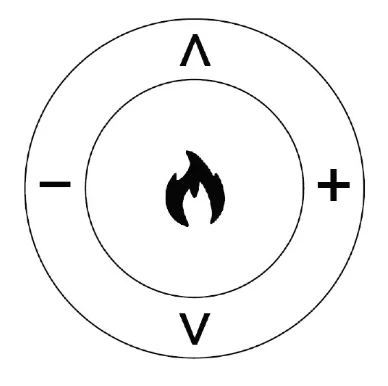 | FLAME BUTTON: Cycles between flame styles and colors.ʌ: Cycles up between presets of current flame styles.v: Cycles down between presets of current flame styles.+: Increases flame speed of current flame style and color.--: Decrease flame speed of current flame style and color.--: Decrease flame speed of current flame style and color. | 1. Press flame button once: Flame switches to next flame style in the sequence.2. Press flame button again until desired style is reached. In total, three flame styles.3. Press ʌ once: Changes up to the next preset of current flame style.4. Press ʌ again until desired preset is selected from1C-2C-3C-4C-5C-6C.5. Press v once: Changes down to the next preset of current flame style.6. Press v again until desired preset is selected from 6C-5C-4C-3C-2C-1C.7. Press + button to increase the flame speed. Displayed: 01-02-03.8. Press button to decrease the flame speed.8. Press button to decrease the flame speed. |
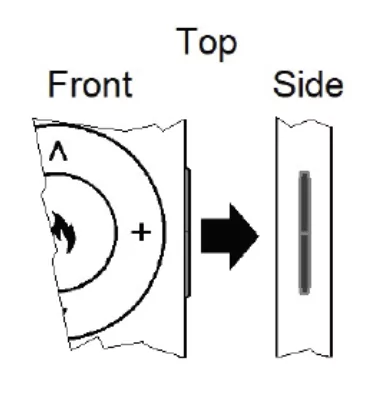 | AUDIO BUTTON: Raises and lowers the audio from the fireplace. | 1. Press once: Changes the volume level.2. Press again cycles between volume settings. Volume settings:2. Press again cycles between volume settings. Volume settings: |
 | DOWNLIGHT BUTTON: Cycles down light colours.DOWNLIGHT BUTTON: Cycles down light colours. | 1. Press once: Cycle downlight.2. Press again until desired colour is reached. In total ten coloirs and one fade mode. 01-02-03-04-05-06-07-08-09-10-11-00 (off)2. Press again until desired colour is reached. In total ten coloirs and one fade mode. 01-02-03-04-05-06-07-08-09-10-11-00 (off) |
 | DOWNLIGHT BRIGHTNESS BUTTON: Makes downlight dimmer and brighter. NOTE: LED down light brightness stays on until power button is turned off. | 1. Press once: Brightness becomes active.2. Press again until desired setting is reached. In total 5 levels.2. Press again until desired setting is reached. In total 5 levels. |
 | MEDIA BED BUTTON: Cycles media bed colours.NOTE: Media bed color effect stays on until power button is turned off.NOTE: Media bed color effect stays on until power button is turned off. | 1. Press once: Turns on ember bed.2. Press again until desired colour is reached. In total ten colours and one fade mode. 2. Press again until desired colour is reached. In total ten colours and one fade mode. |
 | MEDIA BRIGHTNESS BUTTON: Makes media bed dimmer and brighter.MEDIA BRIGHTNESS BUTTON: Makes media bed dimmer and brighter. | 1. Press once: Brightness becomes active.2. Press again until desired setting is reached. In total 5 levels.2. Press again until desired setting is reached. In total 5 levels. |
 | TIMER BUTTON: Controls timer settings to turn off fireplace at selected time.TIMER BUTTON: Controls timer settings to turn off fireplace at selected time. | 1. Press once: Indicator light turns on. Timer defaults to 0.5 hours.2. Press again until desired setting is reached.2. Press again until desired setting is reached. |
 | HEATER BUTTON: Turns heater on and off.NOTE: The heater only works when the flame is on. If the flame is off, the heater will not turn on.NOTE: The heater only works when the flame is on. If the flame is off, the heater will not turn on. | HEATER BUTTON: Turns heater on and off.NOTE: The heater only works when the flame is on. If the flame is off, the heater will not turn on.NOTE: The heater only works when the flame is on. If the flame is off, the heater will not turn on. |
Important Warnings
NOTE
When the heater is first turned on, a slight odor may be present. This is normal and should not occur again unless the heater is not used for a long period of time.
To improve operation, aim the remote control at the front of the fireplace. Quickly pressing buttons on the remote without allowing the fireplace to complete the previous operation may result in operational errors. Allow the fireplace to complete each command before issuing another.
Remote Control Battery Information
- Remote control uses one CR2032 battery (Included)
Adding the Remote Control Battery
- Looking at the backside of the remote, find the small hole with the paperclip symbol next to it.
- Using the supplied Push Tool (or a paperclip), push the tool into the small hole until the faceplate of the remote separates from the back plate of the remote.
- Carefully remove the faceplate of the remote, ensuring the LED at the front of the remote is not damaged.
- Taking the supplied battery, find the side that has the “+” symbol on it.
- Making sure that the “+” side of the battery is facing away from the green circuit board of the remote, slide the battery into the battery holder. The “+” of the battery should match the “+” of the battery holder.
- Carefully place the faceplate back onto the magnetic back plate of the remote, starting with inserting the front of the faceplate.
Replacing the Remote Control Battery
- Follow the previous steps of adding the remote control battery to open up the remote, exposing the old battery.
- Using the Push Tool (or a paperclip), push the old battery out of the battery holder.
- Dispose of the old battery at your local hazardous material processing center.
- See section “Adding the Remote Control Battery” to add a new battery.
Temperature Limiting Control
This heater is equipped with a Temperature Limiting Control. Should the heater reach an unsafe temperature, the heater will automatically turn Off.
To Reset:
- Remove power from the fireplace. Wait 5 minutes. - Turn off the appropriate breaker at the circuit breaker box.
- Inspect the fireplace to ensure no vents are blocked or clogged with dust or lint. Using a vacuum can help clear the areas if needed.
- Turn breaker switch back ON.
- If problem continues, have the wiring and outlet inspected by a professional.